Tools / ScreenshotBuddy
About ScreenshotBuddy
Turn any URL into a screenshot or PDF with one HTTP request. Works from any language, and AI agents can connect via MCP. Free tier: 200 per month.
ScreenshotBuddy is a screenshot API that captures screenshots or PDFs of any URL on demand. You send a request to its endpoint with a URL, and it returns the rendered image or PDF file, which you can then store or serve however you like. The service is operated by ScreenshotBuddy, Inc., and the site positions it as a deliberately simple option: strong default settings, a handful of configurable options, and a single API call to get a result.
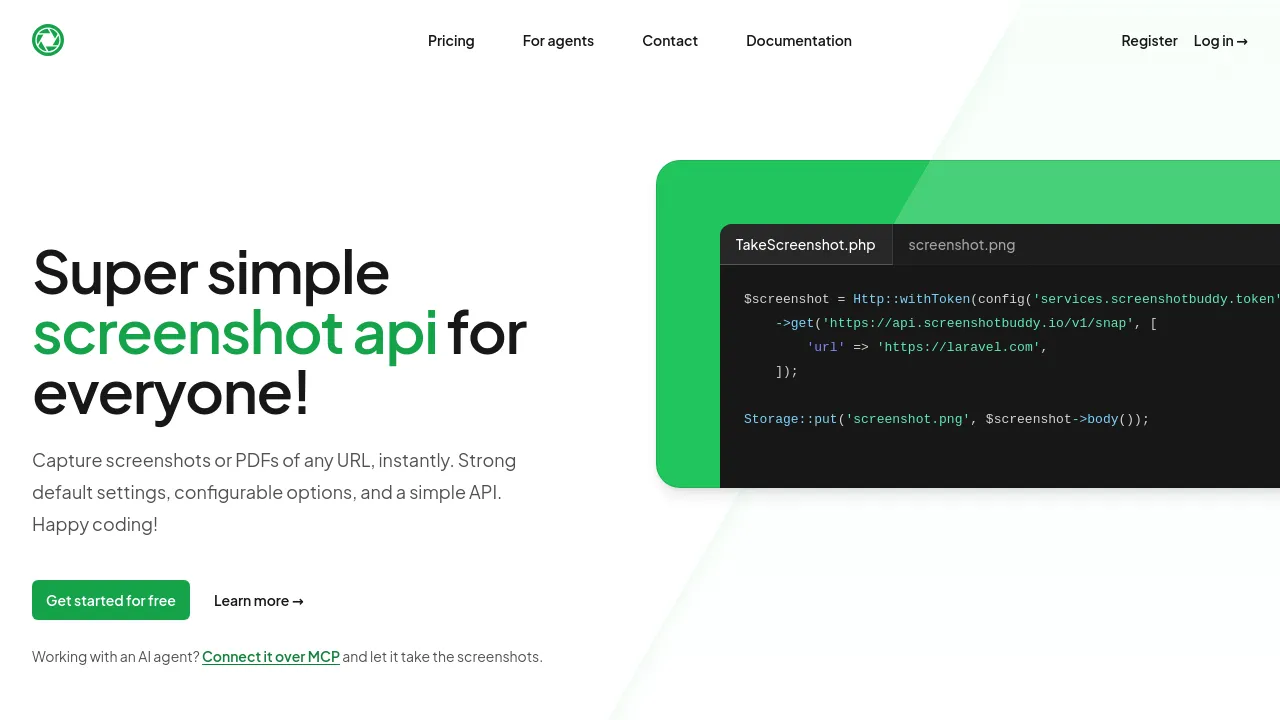
The API itself is straightforward. You authenticate with a token, pass the target URL as a parameter, and receive the screenshot data in the response body. The homepage shows a PHP/Laravel example that does exactly this in a few lines: make an authenticated GET request to https://api.screenshotbuddy.io/v1/snap with a url parameter, then write the response to a file. Developers working with AI agents can also connect over MCP, letting an agent take screenshots on its own without custom integration code.
Pricing is tiered by volume. There is a free tier with 200 screenshots per month and no credit card required. The Essential plan costs $9/month for 2,000 screenshots, Business is $29/month for 10,000 screenshots (marked as most popular), and Enterprise is $99/month for 50,000 screenshots. PDF creation is included on all paid plans. The site also maintains a public status page, a glossary, and comparison pages against ScreenshotOne, Urlbox, and ApiFlash.
Best for
- Developers who need to generate website screenshots programmatically without running their own headless browser infrastructure
- Teams that want to produce PDF versions of web pages on a schedule or on demand
- Projects that need a modest number of screenshots and want to start on a free tier before paying
- Laravel or PHP developers, given the example code and token-based authentication pattern shown in the docs
- People building AI agent workflows that need the ability to capture web pages, via the MCP integration
- Businesses with high screenshot volumes that want a predictable monthly plan rather than per-screenshot billing
Frequently asked questions
Is there a free plan?
Yes. All users get 200 screenshots per month for free, and no credit card is required to sign up.
Can ScreenshotBuddy generate PDFs, not just images?
Yes. PDF creation is included on the Essential, Business, and Enterprise plans. The free tier description on the homepage mentions screenshots specifically, so check the documentation if PDFs on the free tier matter to you.
How do I call the API?
You make an authenticated GET request to https://api.screenshotbuddy.io/v1/snap with a url parameter and your API token. The full details are in the documentation at screenshotbuddy.io/documentation.
Can AI agents use ScreenshotBuddy?
Yes. The site has a dedicated "For agents" page describing an MCP connection so AI agents can take screenshots directly.
What happens if I go over my plan's screenshot limit?
The homepage doesn't specify overage pricing or what happens when you hit your monthly quota. Contact the team at contact@screenshotbuddy.io for details.
Who is behind ScreenshotBuddy?
The footer shows a copyright for ScreenshotBuddy, Inc. The site doesn't provide details about the company's size, location, or team.
Alternatives
The candidate list below doesn't include direct screenshot API competitors (ScreenshotBuddy itself compares against ScreenshotOne, Urlbox, and ApiFlash on its own site), but these are the closest matches from the available options:
- Supermemory — pick it instead if you're building AI agent infrastructure and need memory and context rather than page captures.
- DocDriven — pick it instead if your need is API design and documentation rather than calling a screenshot API.
- Slyce — pick it instead if you want to host your own lightweight web tools, which could include a self-built screenshot service.
- Wordware — pick it instead if you're building AI agent workflows more broadly and screenshots are only one part of the picture.

Similar to ScreenshotBuddy
New tools, once a week.
One weekly email with curated tools and founder insights. Unsubscribe anytime. Check our privacy policy.