Tools / Superhuman
About Superhuman
AI-powered email with collaborative docs, AI agents, auto labels, and CRM views. Mail starts at $25 per user monthly; Suite and Docs have free tiers.
Superhuman positions itself as more than an email client. Its site describes "Docs, Mail, and AI That Work Everywhere," and the product now spans three areas: Superhuman Mail for email, Superhuman Docs for collaborative documents, and Superhuman Go, an AI layer that works across desktop, mobile, and browser tabs. Pricing is split along those same lines, so a team can buy Mail on its own or adopt the full Suite.
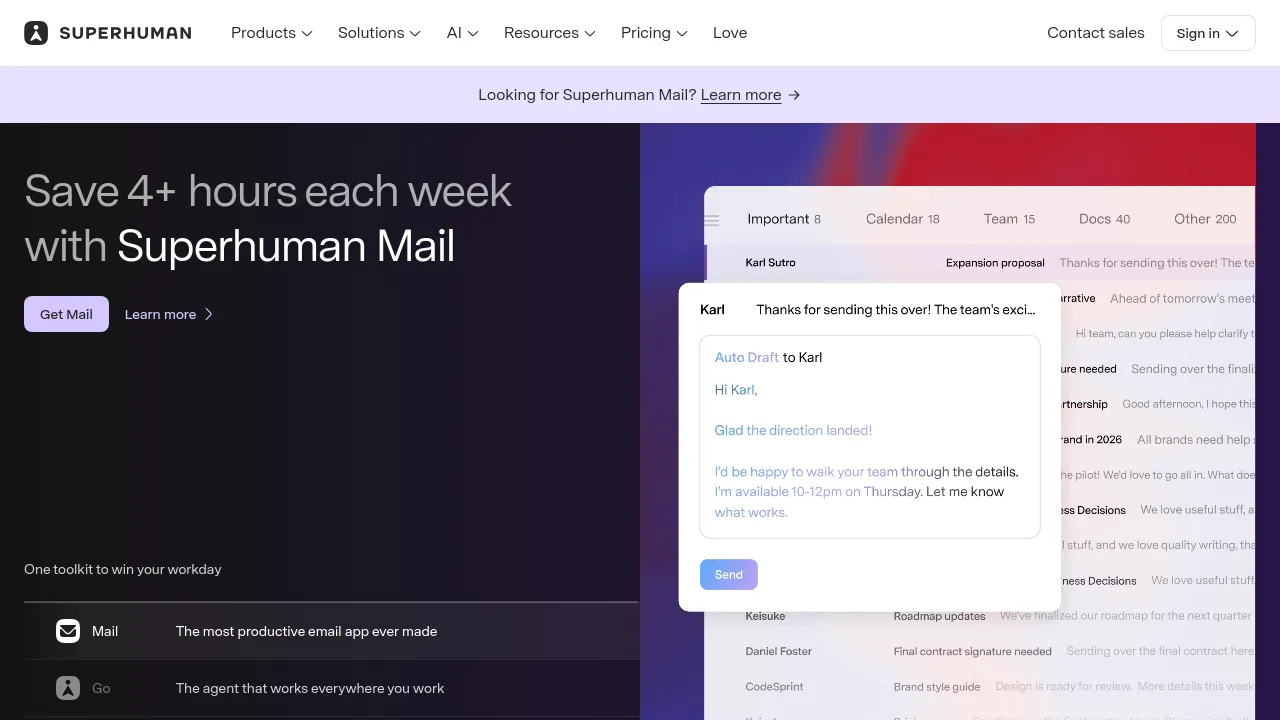
In Mail, the AI drafts and rewrites messages, handles translations, and can auto-draft replies. Ask AI answers questions about your inbox, and custom auto labels sort incoming mail without manual rules. Teams get shared conversations, comments, and CRM data views pulled from HubSpot, Salesforce, or Pipedrive directly into the inbox. Offline support is listed for Mail, which matters when traveling or working with a spotty connection.
Docs covers the collaboration side: documents with tables, charts, kanban boards, and forms, plus automations and team comments. Superhuman Go extends the AI beyond the core apps, working across other sites and tabs through Grammarly for Chrome or Edge. Higher tiers add admin controls and compliance features for larger organizations, and there is a separate education offering for faculty, staff, and students.
Best for
- Sales and account teams that want HubSpot, Salesforce, or Pipedrive data visible inside their inbox
- Teams that collaborate on email through shared conversations and comments
- Professionals who want AI drafting, rewriting, and translation built into daily email work
- Teams replacing separate document tools with collaborative docs that include tables, charts, kanban, and forms
- Organizations that need admin controls, compliance features, and enterprise security
- Schools and universities, through the education offering
Frequently asked questions
How much does Superhuman cost?
Mail starts at $25 per user per month (Starter, billed annually), with Business at $33 per user per month billed annually and custom pricing for enterprise. The Suite line has a free tier, then Pro at $12 per member per month billed annually ($15 monthly) and Business at $40. Docs follows a similar pattern: free, Pro at $12 per doc maker per month billed annually, and Business at $33.
Is there a free plan?
The Suite and Docs product lines include free tiers. Mail itself starts at $25 per user per month billed annually. The pages reviewed don't mention a free trial, so check the site for current trial terms.
Does Superhuman work offline?
Offline support is listed for Superhuman Mail. The material reviewed doesn't state whether Docs or Superhuman Go work offline.
What platforms can I use it on?
The site shows web access and mentions mobile support in plan descriptions. Superhuman Go works across desktop, mobile, and browser, and is available via Grammarly for Chrome or Edge.
Which tools does it integrate with?
Integrations named across the plans include HubSpot, Salesforce, Pipedrive, Jira, GitHub, Figma, Slack, Calendar, Outlook, Workday, ServiceNow, Confluence, and Zendesk.
Is Superhuman open source?
No. The site makes no open-source claim; it is a commercial product with paid tiers.
Alternatives
- Jot — if you want docs, spreadsheets, and chat in one workspace without the email focus.
- Muddy — for AI-driven team collaboration with real-time messaging and app management.
- Voilà — if you mainly need an AI assistant for writing, research, and content creation rather than a full email platform.
- Brevy — for a lighter writing assistant focused on posts, replies, and DMs.
- Afforai — if your priority is searching and summarizing across large sets of documents.

Similar to Superhuman
New tools, once a week.
One weekly email with curated tools and founder insights. Unsubscribe anytime. Check our privacy policy.