Tools / Readwise
About Readwise
Sync highlights from Kindle and elsewhere, organize them with tags and notes, and revisit them over time to retain more of what you read.
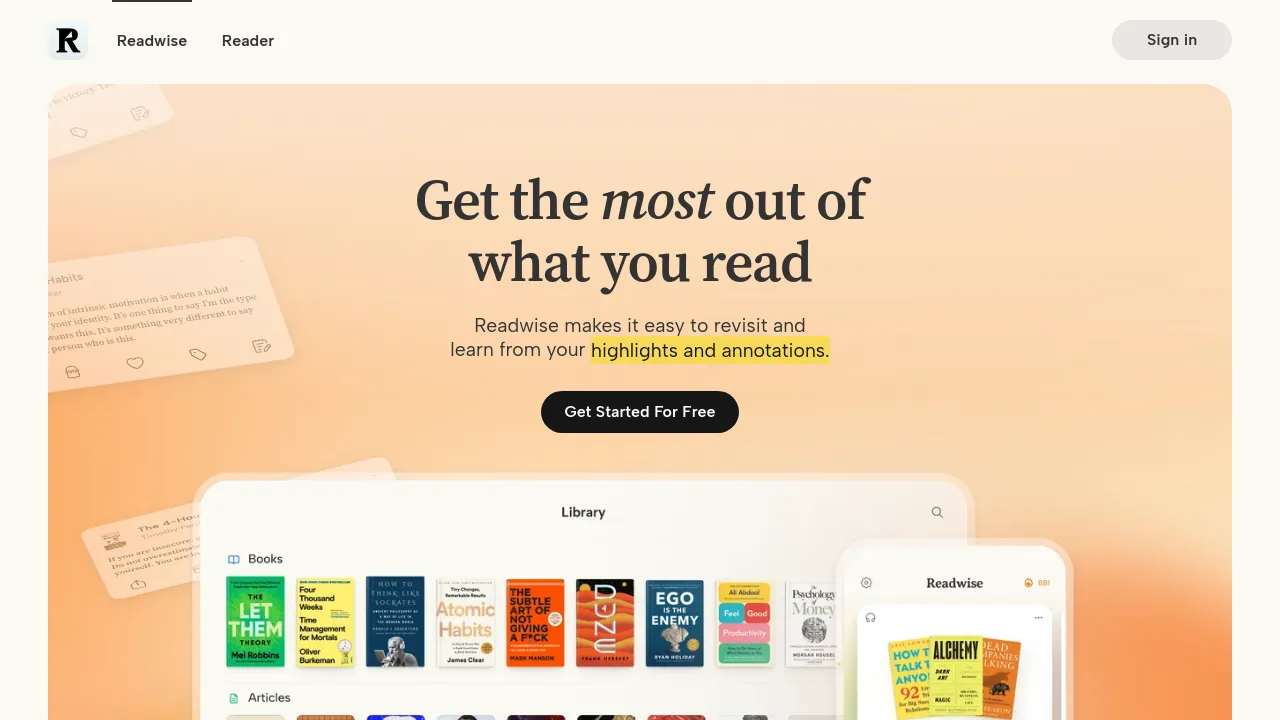
Readwise is a service for people who read a lot and want to hold on to what they read. It collects the highlights and annotations you make while reading — the homepage leads with a Kindle import feature — and gathers them in one place where you can tag them, attach notes, and come back to them later. The site's own summary is straightforward: it makes it easy to revisit and learn from your highlights and annotations.
The product has two parts. The core Readwise app handles highlight collection and review; the sample highlights on the homepage come from books like Atomic Habits, Shoe Dog, Alchemy, and Outlive, plus online essays, and each one can be shared, tagged, and annotated from the interface shown. Readwise Reader, a separate app linked at readwise.io/read, is a place to save things to read — manual saves, newsletters, and RSS feeds — with AI features that can help triage a queue that's too long to get through.
Getting started is free, per the homepage's signup call to action. The scraped page doesn't show pricing for paid plans or a full list of supported highlight sources beyond Kindle, so check the site for those details.
Best for
- Kindle readers who want book highlights collected automatically instead of copy-pasting them by hand
- People juggling newsletters, RSS feeds, and saved articles who want one reading queue
- Writers and researchers who need to resurface specific passages and quotes later
- Heavy annotators who want tags and notes attached to individual highlights
- Anyone trying to build a habit of reviewing what they've read rather than forgetting it
Frequently asked questions
What does Readwise do?
It gathers the highlights and annotations you make while reading into one place, then gives you tools — tags, notes, sharing — to revisit and learn from them.
Is there a free plan?
Yes, the homepage offers a free signup. Pricing for paid tiers isn't shown on the scraped page, so you'll need to check the site for current plans.
What is Readwise Reader?
A companion app for saving things to read: manual saves, newsletters, and RSS feeds in one place. It also includes AI features that can help triage a long reading queue.
Which sources can I import highlights from?
The homepage shows Kindle highlight syncing. It doesn't enumerate the full list of integrations in the scraped content, so confirm supported sources on the site.
Can I organize highlights once they're imported?
Yes. The interface shown includes tagging and note-taking on individual highlights, along with options to share them.
Do I need Reader to use Readwise?
No. Reader is a separate companion product; the core Readwise service focuses on collecting and reviewing highlights you've already made.
Alternatives
- Notion — choose it if you want highlights and notes to live inside a broader workspace for docs, wikis, and projects.
- Afforai — choose it if your main goal is searching and summarizing documents rather than resurfacing highlights from past reading.
- Triplo AI — choose it if you want a general AI productivity assistant across applications instead of a reading-focused tool.

Similar to Readwise
New tools, once a week.
One weekly email with curated tools and founder insights. Unsubscribe anytime. Check our privacy policy.