Tools / Final Cut Pro
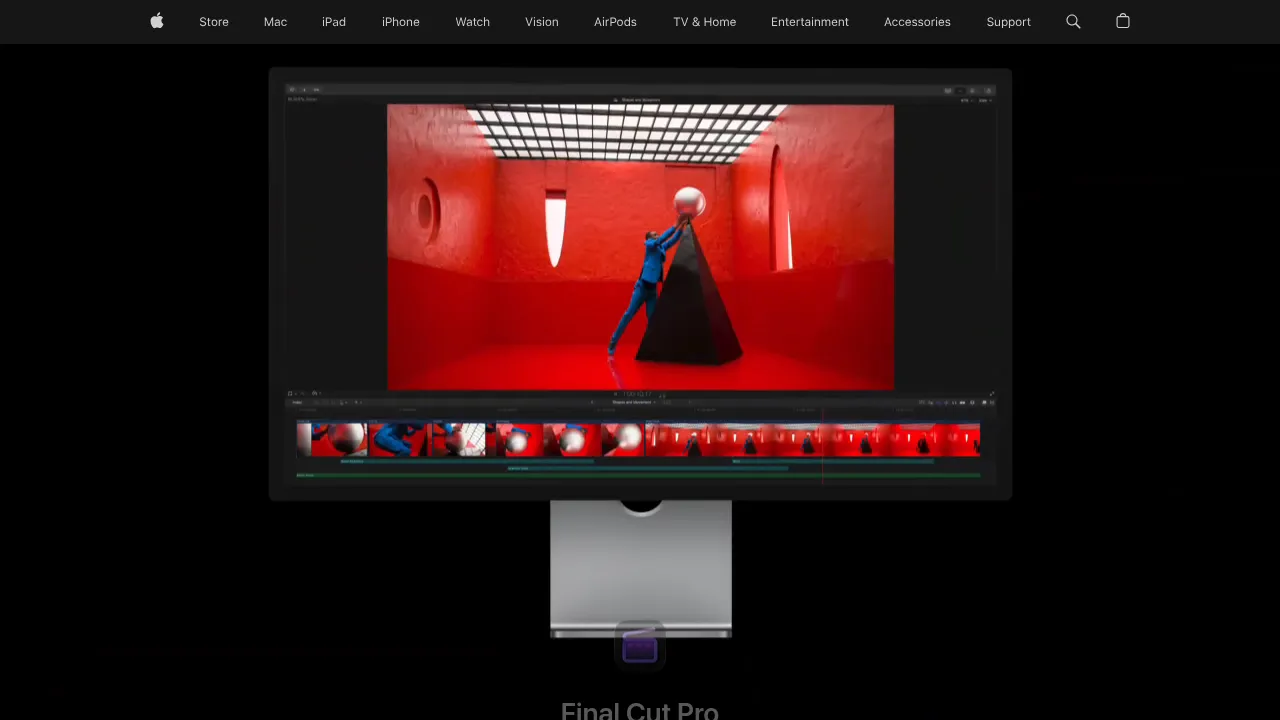
About Final Cut Pro
Edit video on Mac and iPad with a Magnetic Timeline, AI-powered masking and captions, built-in audio tools, and a library of titles and effects.
Final Cut Pro is Apple's professional video editing app, available for Mac and iPad. It combines editing, audio post-production, motion graphics, and color grading in a single application, and its newer AI features build on Apple Intelligence — including automatic captions generated from spoken audio and a Magnetic Mask that separates people or objects from the background without a green screen or manual rotoscoping.
The app is built around the Magnetic Timeline, which lets you move and trim clips while keeping the rest of your edit in sync. Finding footage is handled by Visual Search and Transcript Search, so you can locate shots by what's in the frame or what's said. A built-in library of titles, transitions, soundtracks, and effects covers common finishing work without extra plugins.
Final Cut Pro is also part of Apple Creator Studio, a bundle that includes Logic Pro, Pixelmator Pro, Motion, Compressor, and other creative apps. The Mac version is available as a one-time purchase on the App Store, and Apple offers a free trial.
Best for
- Mac and iPad users who want a native editor tuned to Apple hardware
- Editors working on YouTube, social, documentary, or short-form video projects
- Creators who need automatic captions and transcript-based search for interview or talking-head footage
- Anyone isolating subjects without a green screen, using Magnetic Mask
- Editors who want audio mixing, color grading, and motion graphics in one app
- Buyers who prefer a one-time purchase over a subscription
Frequently asked questions
Which platforms does Final Cut Pro run on?
Final Cut Pro runs on Mac and iPad. The Mac version is available as a one-time purchase on the App Store.
Is there a free trial?
Yes. Apple offers a free trial — the site links to a "Try it free" option on the App Store.
How much does it cost?
The Mac version is sold as a one-time purchase on the App Store. The exact price isn't stated on the page reviewed here, so check the App Store listing for current pricing.
What AI features does it include?
It includes AI features that build on Apple Intelligence, such as automatic captions created by analyzing spoken audio, Magnetic Mask for isolating people and objects from backgrounds, and Visual and Transcript Search for finding shots.
What is Apple Creator Studio?
Apple Creator Studio is a bundle of creative apps that includes Final Cut Pro along with Logic Pro, Pixelmator Pro, Motion, Compressor, and others. It's available as a separate bundle deal.
Does it include audio and color tools?
Yes. Final Cut Pro covers editing, audio editing, motion graphics, and color grading in one application.
Alternatives
- Premiere Pro — pick it if you need cross-platform editing or tighter integration with Adobe's broader toolset.
- Vrew — a lighter, AI-driven editor if your workflow centers on fast, transcript-based cuts.
- Vizard — better suited if your main goal is turning long videos into short clips for TikTok, Instagram, and YouTube Shorts.

Similar to Final Cut Pro
New tools, once a week.
One weekly email with curated tools and founder insights. Unsubscribe anytime. Check our privacy policy.