Tools / Doc2Lang
About Doc2Lang
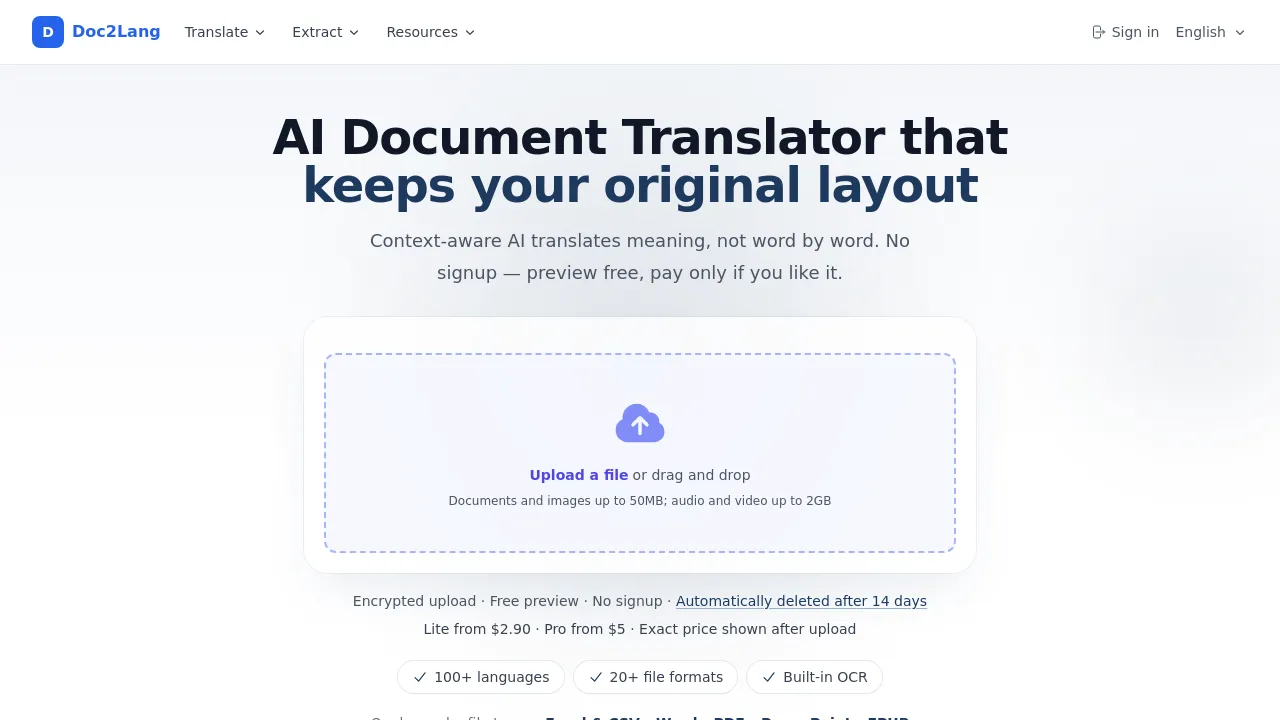
Upload a file, choose languages, preview free, then pay to download. Handles 100+ languages and 20+ formats with layout preserved.
Doc2Lang is an AI-powered document translation service that converts files between more than 100 languages while keeping the original layout intact. It handles over 20 file formats, including Excel, Word, PDF, PowerPoint, EPUB, subtitle files, video, audio, images, InDesign (IDML), and HTML. The service is pay-per-file with no subscription, and you can see a free preview of the translation and the exact price before paying anything.
The workflow has three steps. You upload a file and pick the source and target languages — no account is required for this. You then review a free preview that shows the translation quality and compares the Lite and Pro prices side by side. Finally, you choose a model, pay once for that specific file, and download the completed translation.
Format support is the main differentiator. Excel and CSV files keep formulas, charts, and multi-sheet structure. Word documents preserve headings, tables, footnotes, and styles. PDFs go through built-in OCR for scanned pages, and multi-column layouts are maintained. EPUB translation keeps the table of contents and chapters, with output that works on Kindle and Kobo. Subtitle files (SRT, VTT, ASS) keep timing and styling, and the service can also extract, translate, and re-time subtitles from MP4, MOV, and MKV video files, transcribe MP3, WAV, and M4A audio before translating, and detect text inside JPG, PNG, and WebP images. Batch translation is possible by uploading a ZIP archive of multiple files.
Pricing starts at a $2.90 minimum per file on the Lite tier, which is faster and cheaper, and a $5 minimum on the Pro tier, which targets complex wording and precise terminology. The site states that all transfers are encrypted over HTTPS, uploaded files can be deleted at any time, and content is never used to train public AI models.
Best for
- Translating formatted business documents (Excel with formulas, Word reports, PowerPoint decks) without rebuilding the layout afterward
- Translating scanned PDFs that need OCR before translation
- Converting EPUB books for reading on Kindle or Kobo in another language
- Localizing subtitle files or extracting and translating subtitles from video files
- One-off translation jobs where a subscription would be wasteful
- Translating text inside images or InDesign (IDML) layouts
Frequently asked questions
How do I translate a PDF without losing the formatting?
Upload the PDF and the translation keeps the multi-column layout, fonts, and graphics. Scanned or image-only PDFs are processed with built-in OCR first, so text embedded in images is also handled.
Can I translate an EPUB book and read it on Kindle?
Yes. EPUB translation preserves the table of contents and chapter structure, and the output opens on Kindle, Kobo, and other major e-readers.
How much does it cost to translate an Excel file?
Pricing is pay-per-file with no subscription: Lite starts at a $2.90 minimum per file and Pro starts at $5. The exact price and a free translation preview are shown before you pay.
Is it safe to upload confidential documents?
According to the site, all file transfers are encrypted over HTTPS, you can delete uploaded files at any time, and your content is never used to train public AI models.
Which languages are supported?
The service handles over 100 languages, from common ones like English, Spanish, and Chinese to more specialized language pairs.
Can I translate several files at once?
Yes. Upload a ZIP archive containing multiple files and the system extracts them automatically so you can choose which ones to translate.
Alternatives
None of the alternatives below are direct document translators, so this list covers adjacent tools rather than like-for-like substitutes:
- Wordware — an AI assistant that learns your context; pick it if you want ongoing AI help with tasks rather than one-off file translation.
- DocDriven — a visual API design tool for development teams; pick it if your document work is actually API specification design.
- WIIN.io — online forms and application management; pick it if you need to collect multilingual submissions rather than translate existing files.
For direct comparison, Doc2Lang's own site contrasts itself with DeepL and Google Translate: DeepL requires an account for file translation and uses monthly file allowances on paid plans, while Google Translate covers DOCX, PDF, PPTX, and XLSX for free within size limits but makes no formula-preservation commitment for Excel. Competitor details on the Doc2Lang site were checked July 2026 and may change.

Similar to Doc2Lang
New tools, once a week.
One weekly email with curated tools and founder insights. Unsubscribe anytime. Check our privacy policy.