Tools / Cline
About Cline
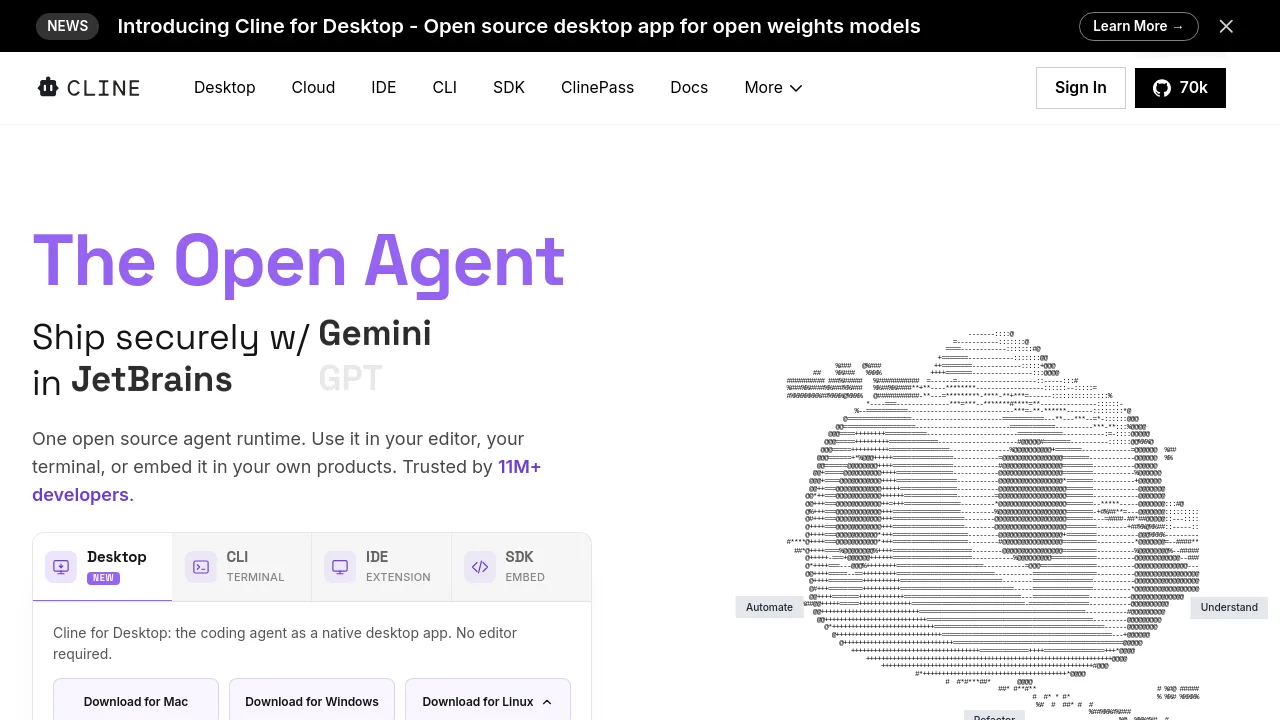
Cline is an open-source AI coding agent that works across IDEs, terminals, and as an SDK. It supports multi-file edits, bash commands, and various AI models.
Cline is an open-source AI coding agent designed to work within your editor, terminal, or as an embeddable SDK. It is built with a "Plan-and-Act" mode, allowing users to align on a strategy before execution, with options for step-by-step approval or auto-approval. The tool supports coordinated multi-file changes, including linter-aware fixes and one-click undo for every step. It can execute bash commands directly in your terminal, reacting to output from long-running processes like dev servers or tests.
Cline allows users to define custom .clinerules within their repositories to teach the agent specific coding standards, architecture, and deployment conventions. It offers flexibility in AI model choice, supporting Claude, GPT, Gemini, local Ollama/LM Studio, and any OpenAI-compatible endpoint. Users can bring their own API keys or model weights. The tool also supports extensions through an SDK for custom tools and lifecycle hooks, and integration with MCP servers for databases, APIs, and infrastructure. Cline can be used for multi-agent teams, scheduled automations, and can connect to communication platforms like Slack, Discord, Telegram, Linear, and CI/CD pipelines like GitHub Actions or GitLab.
Best for:
- Developers who want an open-source AI coding agent
- Teams needing coordinated multi-file code changes
- Users who require AI to execute bash commands and react to output
- Organizations with specific coding standards to enforce via
.clinerules - Developers who prefer flexibility in choosing AI models and infrastructure
- Automating recurring checks and updates in CI/CD pipelines
Frequently asked questions
What AI models does Cline support?
Cline supports Claude, GPT, Gemini, local Ollama/LM Studio, and any OpenAI-compatible API endpoint. Users can bring their own API keys or model weights.
Can Cline make changes across multiple files?
Yes, Cline is designed for coordinated multi-file changes. It includes features like linter-aware fixes, diffs, checkpoints, and one-click undo for each step.
Is Cline open source?
Yes, Cline is open source under the Apache 2.0 license. It is built with contributions from over 250 developers.
Can Cline be used in a terminal?
Yes, Cline can be used in your terminal. It can execute bash commands and react to their output, handling long-running processes like dev servers or tests.
How does Cline handle coding standards?
Users can ship .clinerules with their repositories. These rules teach the agent specific coding standards, architectural patterns, and deployment conventions.
Does Cline integrate with CI/CD pipelines?
Yes, Cline can run headlessly inside CI/CD pipelines such as GitHub Actions or GitLab for recurring automations and checks.
Alternatives
- Visual Studio Code – Pick Visual Studio Code if you need a free, open-source code editor that runs across platforms, without built-in AI agent capabilities.
- PhpStorm – Pick PhpStorm if you are a PHP developer looking for a powerful IDE with advanced features like code completion and refactoring, rather than an AI coding agent.
- Komodo Edit – Pick Komodo Edit if you need a robust code editor focused on efficiency and simplicity, without integrated AI agent functionality.
- Espresso – Pick Espresso if you are looking for a platform to write, code, design, build, and publish projects with a focus on creative workflow, not an AI coding agent.
- CodeMate – Pick CodeMate if your primary need is to search, navigate, and understand complex codebases with AI assistance, rather than an autonomous coding agent.
- GitLoop – Pick GitLoop if you need a personalized AI codebase chatbot and context-aware Git assistant for repository management, not a general-purpose coding agent.
- Voqal – Pick Voqal if you are looking for a natural speech programming assistant that offers intelligent voice coding capabilities.
- CodeParrot – Pick CodeParrot if your main goal is to transform Figma designs or screenshots into production-ready frontend components.

Similar to Cline
New tools, once a week.
One weekly email with curated tools and founder insights. Unsubscribe anytime. Check our privacy policy.