Tools / Ayoa
About Ayoa
Brainstorm with AI-assisted mind maps, plan on task boards and Gantt charts, and collaborate with your team across web, iOS, and Android.
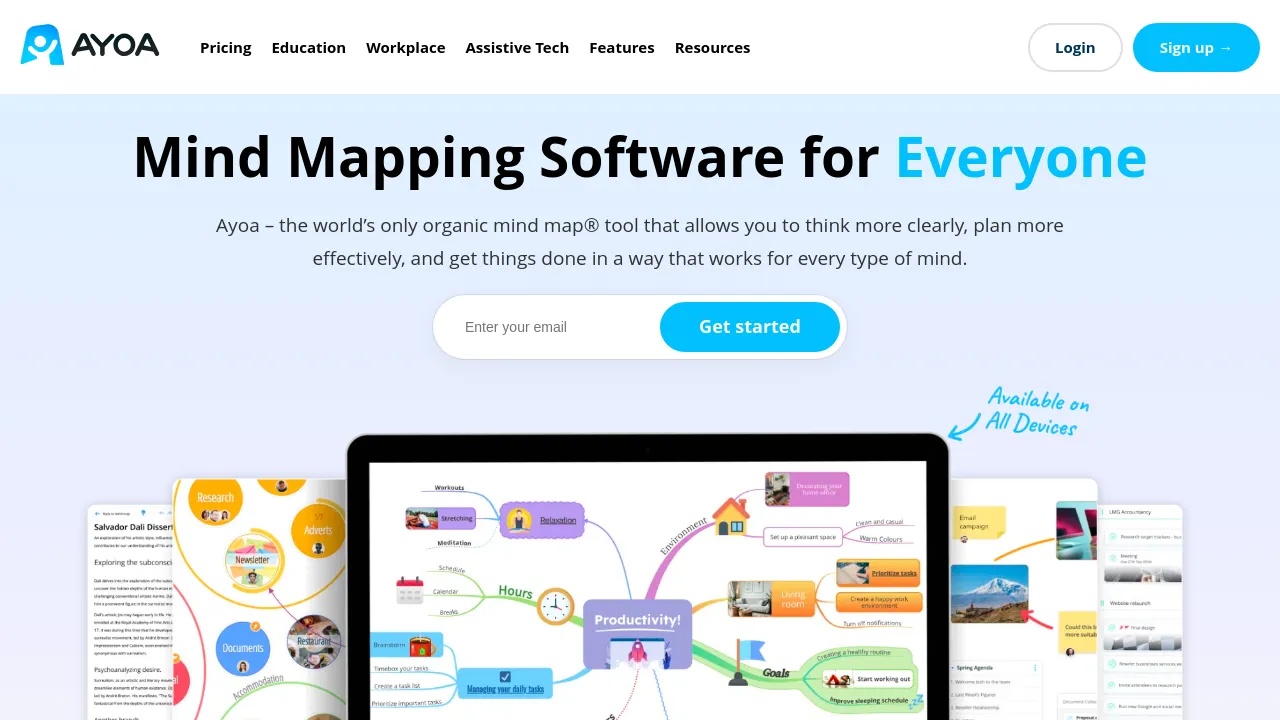
Ayoa is a visual productivity app that puts mind mapping, whiteboarding, and task management in one place. The idea is simple: capture ideas as a map, then turn them into tasks without copying anything across to a separate project tool. It is aimed at individuals and teams who brainstorm and plan projects together, and it works in the browser as well as on iOS and Android.
The feature set leans visual. There are multiple mind mapping modes, integrated whiteboards for freeform sessions, and task boards with Gantt views for scheduling. Documents and outlines sit alongside the maps, and a presentation mode lets you walk a team through a plan without exporting anything first. AI appears in two visible places: it assists with building mind maps and it generates summaries for imported content. Finished work can be exported to Docs, PDFs, and images.
Pricing runs on a freemium model. The free plan covers up to 10 mind maps, enough to test the core mapping flow. The paid tier, Ayoa Ultimate, is listed at around $13 per user per month billed annually, about $17 month to month, and roughly $6.10 per month on a three-year plan; annual billing is discounted by up to 20% compared with paying monthly. The site also lists integrations with Google and Microsoft services, and its FAQ names Google Drive, Dropbox, and calendar apps. Maps and tasks sync across devices, and the FAQ says the mobile apps work offline.
Best for
- Teams that brainstorm visually and want ideas to become assigned tasks without switching tools
- Project planners who need Gantt timelines next to their maps and boards
- Workshops and remote sessions run on shared whiteboards
- Individuals or students trying visual planning on the free plan, which covers up to 10 mind maps
- People who present plans directly from their maps instead of building slide decks
Frequently asked questions
Is there a free version of Ayoa?
Yes. The free plan covers up to 10 mind maps. Beyond that, the paid tier is Ayoa Ultimate.
How much does Ayoa Ultimate cost?
Public pricing on the site shows about $13 per user per month billed annually, around $17 billed monthly, and a three-year option from about $6.10 per month. Annual billing is discounted by up to 20%, but prices can change, so check the current pricing page.
Which platforms can I use it on?
Ayoa runs in the browser and has iOS and Android apps. The FAQ mentions offline capability on mobile, and a separate listing also describes desktop availability. Content syncs across devices.
Does Ayoa integrate with other tools?
The site says it integrates with Google and Microsoft services, and the FAQ specifically names Google Drive, Dropbox, and calendar apps.
Does Ayoa use AI?
Yes. AI assists with building mind maps and produces summaries for imported content.
Is Ayoa open source?
No. Nothing on the site suggests open source licensing; it is a commercial product with a free tier and a paid Ultimate plan.
Alternatives
- Jot — pick it if you want docs, spreadsheets, and chat in one workspace rather than a visual mapping canvas.
- Muddy — a better fit if your team's collaboration centers on messaging and app management instead of mind maps.
- Voilà — choose it if you mainly want AI help with writing, brainstorming, and research rather than a dedicated mapping and task tool.

Similar to Ayoa
New tools, once a week.
One weekly email with curated tools and founder insights. Unsubscribe anytime. Check our privacy policy.