Tools / Vocal
About Vocal
Replace long emails with audio messages. Record and send voice notes through Gmail and Outlook, complete with transcription and analytics.
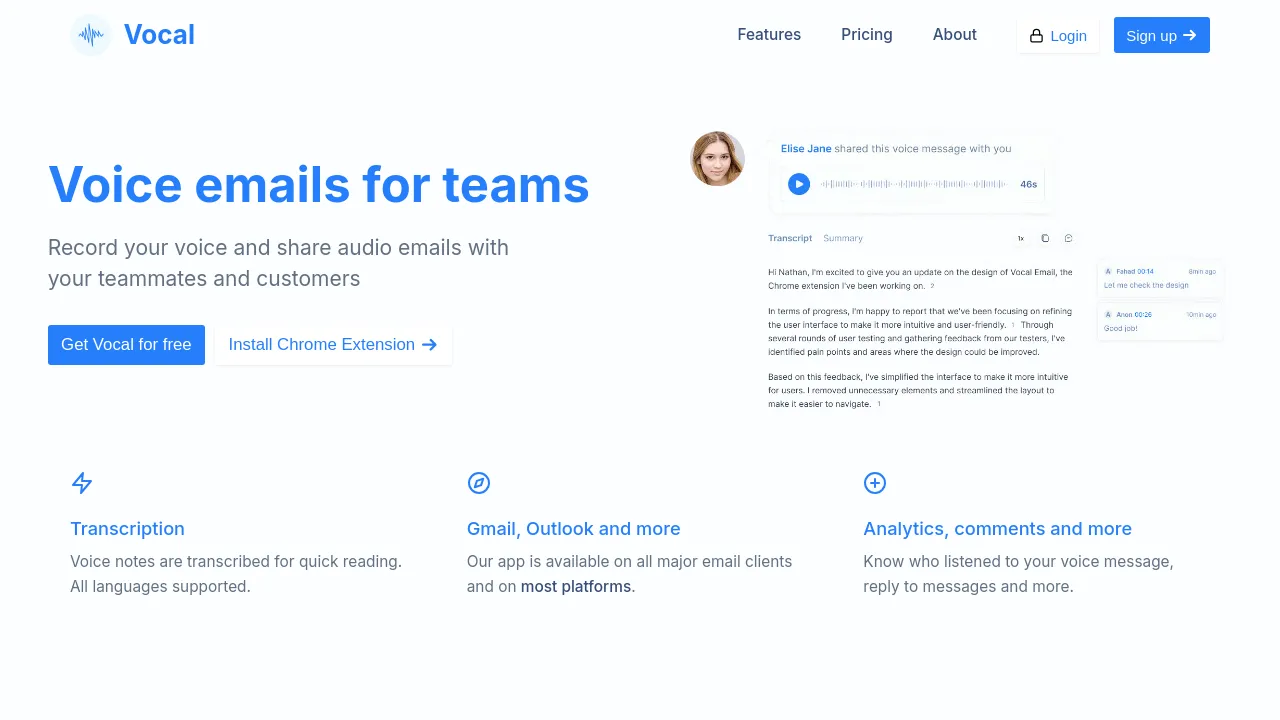
Vocal allows users to send personal voice messages directly through standard email clients. Instead of typing out lengthy responses, users can record audio notes and attach them to emails. This feature is designed to make communication faster and more personal, allowing users to convey tone and personality that is often lost in written text.
The platform integrates with major email providers like Gmail and Outlook, meaning users do not need to learn a separate application to use the feature. Voice notes are attached as MP3 files, ensuring that recipients can listen to the message easily, even if they do not use Vocal.
Beyond simple recording, Vocal includes several features aimed at improving workflow and team collaboration. Voice messages are automatically transcribed, supporting multiple languages for quick reading. Furthermore, the analytics feature provides insight into message engagement, allowing users to track who listened to the message and who replied. This makes it a tool suitable for both individual productivity and team-based communication.
Best for
- Customer service representatives who need to provide personal feedback or explanations.
- Coaches and consultants who want to build a personal connection with clients.
- Executives who need to quickly answer complex emails without typing.
- Small businesses looking to add a personal touch to their customer interactions.
- Teams that require quick, nuanced communication on complex topics.
Frequently asked questions
How do recipients listen to the voice messages?
Recipients can listen to the voice messages via an MP3 attachment in the email. They do not need to install Vocal or use the service to hear the audio.
Does Vocal support transcription?
Yes, voice notes are automatically transcribed for quick reading, and the service supports all languages.
Can I track how my voice messages are used?
Yes, the analytics feature allows users to know who listened to the voice message and who replied to it.
Is the tool available on all email platforms?
It is available on major platforms, including Gmail and Outlook, and also offers mobile add-ons.
Alternatives
If your primary need is rapid, personal communication via audio, Vocal may be suitable. However, if your workflow requires broader document management or different types of assistance, these alternatives may fit better.
- Brevy if you need an intuitive writing assistant to help you craft replies and posts more efficiently.
- Notion if you require a connected workspace for managing documents, wikis, and projects alongside communication.
- Triplo AI if you are looking for an all-in-one AI assistant to maximize productivity across various applications.
Vocal is best chosen when the core requirement is replacing written email responses with quick, personal, and transcribable audio notes.

Similar to Vocal
New tools, once a week.
One weekly email with curated tools and founder insights. Unsubscribe anytime. Check our privacy policy.