Tools / VideoFast
About VideoFast
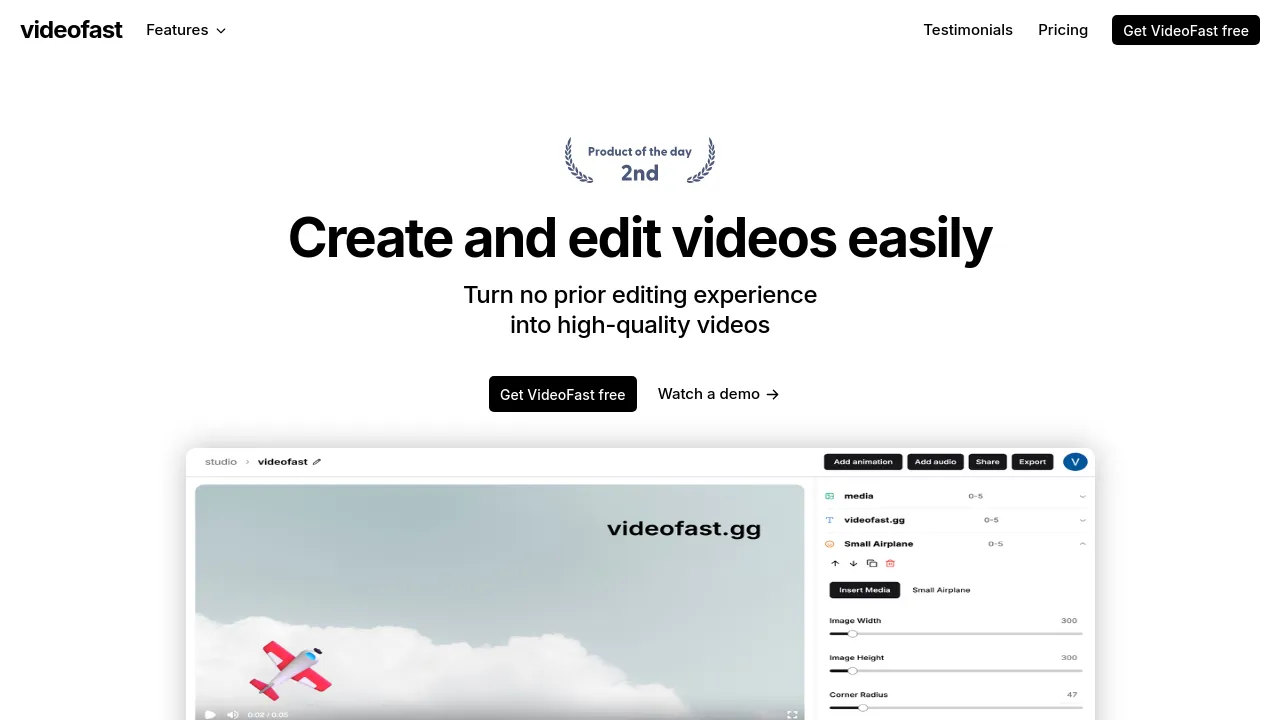
Edit videos easily in the browser. Add text, music, stock media, and animations using an intuitive interface, even if you lack experience.
The platform provides a straightforward way for anyone to produce professional-grade videos without needing extensive prior editing knowledge. It transforms raw footage into finished content quickly, focusing on accessibility and simplicity. The editor supports comprehensive media integration, allowing users to incorporate various elements into their projects. You can upload personal images, videos, or GIFs, or utilize extensive stock libraries provided by the platform. This access includes millions of stock images and GIFs, ensuring you always have high-quality visual assets at your disposal.
Beyond basic media handling, the editor offers robust customization options for text and audio. Users can enhance their videos using text overlays, choosing from over 250 available fonts. Text customization extends to rich colors, gradients, and dynamic shadows, and premade text animations can be integrated easily. For audio, users have the ability to upload their own sound files or utilize the built-in music library. Controls allow users to trim audio, set volume levels, and adjust the starting point of the track. The editor also allows for advanced adjustments such as changing video speed, trimming clips, setting precise volume levels, and adjusting video dimensions to various ratios like 16:9, 9:16, or 1:1, catering to different social media platforms.
When considering video creation, different needs require different tools. If your goal involves generating videos simply by describing your ideas using advanced AI technology, you might explore <a href="/videoexpressai">videoexpressai</a>. For those who need a tool that generates scripts, creates scenes, and adds voiceovers based on a chosen topic, <a href="/invideo-ai">invideo-ai</a> offers powerful capabilities. If you require a video creation tool that allows you to instantly generate videos at scale without needing skills, <a href="/clipfly">clipfly</a> is a strong option. Conversely, if you are looking for a modern platform designed to help teams produce content quickly, <a href="/kapwing">kapwing</a> provides a collaborative environment.
For users who require more flexible editing options and powerful AI tools, platforms like <a href="/capcut">capcut</a> are highly regarded. If your project involves building and animating stunning 3D characters with minimal technical skill, <a href="/createstudio">createstudio</a> might fit your needs. For those who need a comprehensive suite of design tools, including illustration and video, <a href="/illusto">illusto</a> offers a wide range of creative possibilities. The platform is ideal for creating social media content quickly, producing simple instructional videos, or handling personal projects that require custom text effects. Final videos can be exported in MP4 format and shared immediately via a generated link, making distribution simple and fast.

Similar to VideoFast
New tools, once a week.
One weekly email with curated tools and founder insights. Unsubscribe anytime. Check our privacy policy.