Tools / Raindrop.io
About Raindrop.io
Save unlimited bookmarks into collections, highlight pages, and search your library across web, Mac, iOS, and Android.
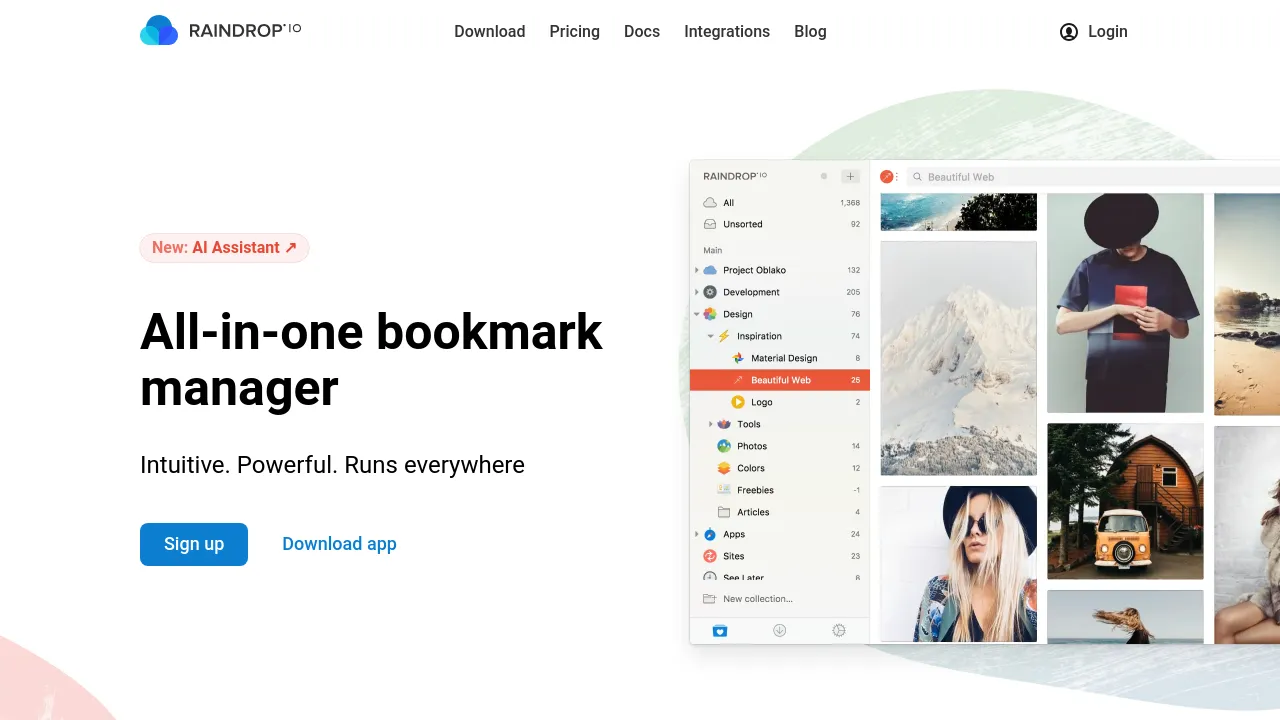
Raindrop.io is an all-in-one bookmark manager for saving, organizing, and finding links. The free plan puts no limit on bookmarks, collections, or devices and includes 100 MB of monthly uploads, so most people can run their whole library without paying. A Pro subscription adds tools aimed at heavier use, including full-text search and a web archive.
Saving works through browser extensions for Chrome, Safari, Firefox, and Edge, plus apps for web, Mac, iOS, and Android. Links are sorted into collections that can be shared or edited with other people. Beyond the link itself, you can highlight and annotate pages, set reminders to come back to saved content, and move your library in or out at any time with import and export. Integrations connect it to more than 2,600 other apps.
Maintenance features handle the usual bookmark rot: a duplicate finder, a broken-link finder, and daily backups. Pro raises uploads to 10 GB per month, adds an AI Assistant and AI Suggestions, and includes priority email support. Pro is billed monthly or yearly, with the yearly option described as about 20% cheaper; the site doesn't publish the exact price on its public pages.
Best for
- Replacing scattered browser bookmarks with one searchable, cross-device library
- Researchers and students who highlight and annotate sources as they save them
- Anyone cleaning up an old bookmark folder full of duplicates and dead links
- Small groups or teams that share and curate link collections together
- Readers who want Pro's web archive to keep copies of pages they save
Frequently asked questions
Is Raindrop.io free?
Yes. The free plan includes unlimited bookmarks, collections, and devices, plus 100 MB of monthly uploads, at no cost.
How much does the Pro plan cost?
The site doesn't publish an exact Pro price in the content reviewed here. Pro is subscription-based with monthly or yearly billing, and the yearly option is described as about 20% cheaper.
Which platforms does it run on?
There's a web app, a Mac app, iOS and Android apps, and browser extensions for Chrome, Safari, Firefox, and Edge.
Can I import bookmarks from my browser?
Yes. Import and export are both supported, so you can bring an existing library in and take it with you later.
Does it work offline?
The site doesn't clearly state offline support, so treat that as unconfirmed.
What does Pro add over the free plan?
Full-text search, a web archive, 10 GB of monthly uploads (up from 100 MB), an AI Assistant with AI Suggestions, and priority email support.
Alternatives
- Alfred — a macOS launcher built around hotkeys and keywords; pick it if you want fast keyboard access to apps and files rather than a dedicated bookmark library.
- Afforai — for searching, summarizing, and translating documents when your work means digging through sources, not just saving links to them.
- Voilà — a content creation and research platform; pick it if you want help writing and brainstorming from material rather than organizing links.

Similar to Raindrop.io
New tools, once a week.
One weekly email with curated tools and founder insights. Unsubscribe anytime. Check our privacy policy.