Tools / Xnapper
About Xnapper
Capture screenshots on Mac and turn them into polished, share-ready images with auto backgrounds, annotations, redaction, and social media sizes.
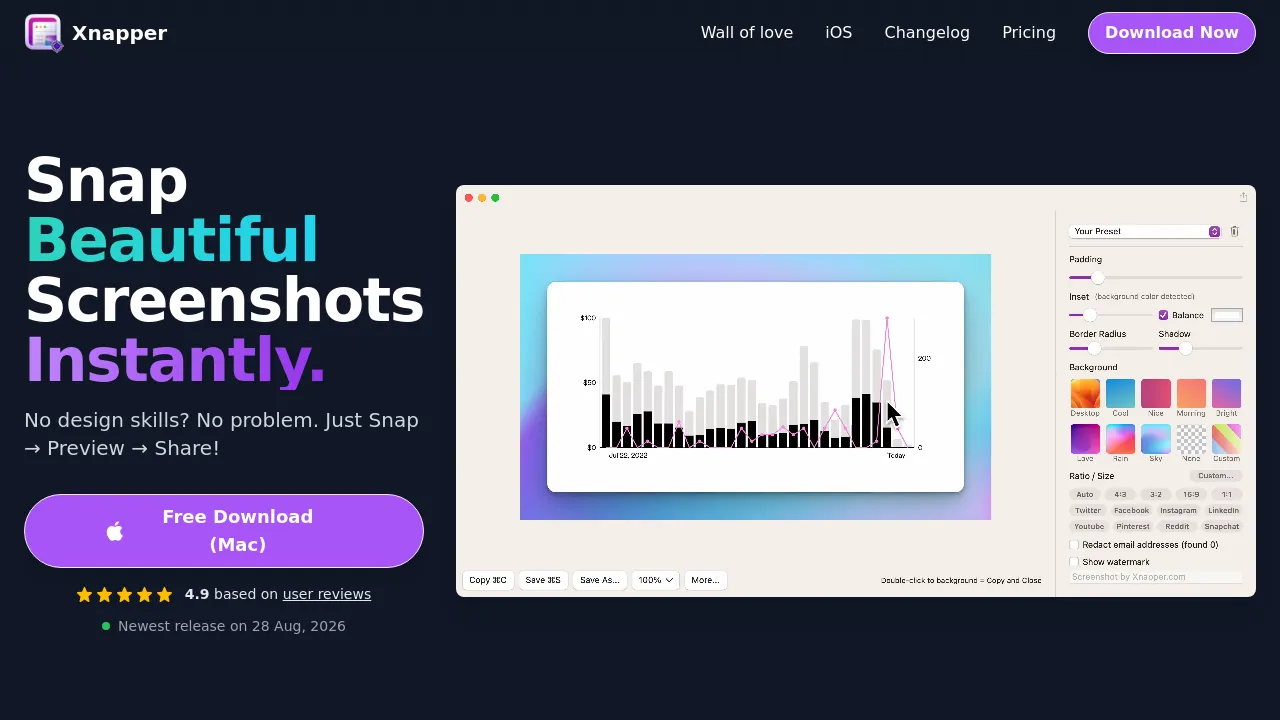
Xnapper is a macOS app that turns raw screenshots into finished, share-ready images. Instead of leaving a plain capture floating on your desktop, it automatically places each screenshot on a generated background — a solid color, gradient, or image — so the result looks composed rather than cropped. The site describes the workflow as snap, preview, share: capture with a custom global shortcut, adjust what you need, then export at the size you want.
The editing tools cover the usual cleanup jobs. You can annotate with arrows, shapes, and text, blur parts of the image, and redact sensitive information before a capture goes anywhere. Screenshots are kept in a history so you can return to earlier captures, and text recognition runs on-device. For social sharing, the app includes preset sizes and ratios for different platforms, and the site notes that exports carry no watermark.
Pricing is one-time for individuals: Basic costs $29.99 for one Mac, Personal $54.99 for two, and Standard $79.99 for three. A Team plan runs $5 per device per month with annual billing and automatic renewal. An iOS version exists but is in beta and sold as a separate App Store purchase rather than bundled with the Mac license. The site positions the higher tiers toward professionals, though nothing in the core workflow requires design experience. No Android or browser version is mentioned, and the site does not name the developer.
Best for
- Sharing app or UI screenshots on social media without manually framing them
- Developers and writers embedding clean captures in documentation, posts, and presentations
- Blurring or redacting sensitive details before sending a screenshot to someone else
- Frequent screenshot takers who want a history of past captures
- Teams that need licenses across several Macs
Frequently asked questions
Is Xnapper free?
No free plan is listed on the site. The cheapest option is the Basic license at $29.99 as a one-time purchase for one Mac.
How does the Team plan differ from the individual licenses?
Team pricing is $5 per device per month, billed annually with automatic renewal. Basic, Personal, and Standard are one-time purchases covering one, two, or three Macs respectively.
Which platforms does it run on?
macOS is the main product. An iOS app is available in beta as a separate App Store purchase; the site doesn't mention Android or a browser version.
Does it add a watermark to exports?
No. The site states that exports have no watermark.
Can it hide sensitive information in a screenshot?
Yes. It includes redaction tools and blur annotations, and its text recognition runs on-device.
Can it resize screenshots for different social platforms?
Yes. It includes preset sizes and ratios for social media, though the site doesn't describe direct posting to any platform.

Similar to Xnapper
New tools, once a week.
One weekly email with curated tools and founder insights. Unsubscribe anytime. Check our privacy policy.